
Reach An Even Larger Audience with Dual Speaker Bose S1 Packages on Pro Acoustics Tech Talk Episode 30
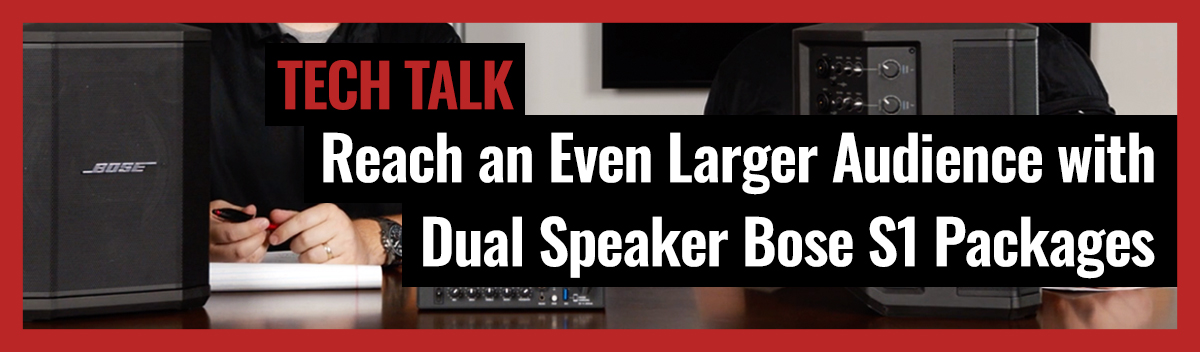
On this week's episode of Pro Acoustics Tech Talk, Nathan and Coltin dive into some of our dual speaker packages with the Bose S1. They discuss different applications and even show you a couple of different ways you can set up a dual Bose S1 speaker package.
Nathan: Hey everybody. Thanks for joining us for another Pro Acoustics Tech Talk. I'm Nathan.
Coltin: And I'm Coltin.
Nathan: And we are here today to talk to you guys about some new Bose S1 packages we're rocking and rolling with. Two speakers. Some of the different options, which hopefully expand some things you can do with the Bose S1, and some ways we can help you out.
Coltin: All right, Nathan, we've got some S1s in front of me here. Not only one, that you've seen on most of our packages on the web. We have two. Then we have the good old SM4 here too. So, why do we have this stuff out on the table? And why all of this works together so well, we kind of go and break it down for you.
Nathan: Okay, cool. So, we've shown you guys some packages that you've seen on our site, and on some of our eCommerce channels where we've had the Bose S1 mounted to a wall, on a wall bracket, which works great for classrooms or training rooms or things like that, but we realized that that might leave behind some of the rooms that are a little bit bigger that love the features of the S1, love the built-in Bluetooth, the battery power, the number of inputs, the easy use, the sound quality, and everything, but they might need a little bit more sound, a little bit more horsepower. So we've come out with some new packages to kind of make things a little bit simpler for you guys, so you can see what all you can do here. We've pointed it out before that there is a line-level output on the back of the Bose S1.
Nathan: But we haven't really shown you how to use it yet or what you can do. So it's very simple, basically some of the packages you'll find with the wall bracket with stands or poles or anything like that. What you can do is basically just take a quarter-inch balanced cable that we have included in some of these packages. Go into the line output. This is your main or your primary speaker that you'll Bluetooth pair to or that you'll plug your microphones or music sources into on the other end of that cable. We just have a conventional male XLR, that male XLR just goes right on into to input one. We make sure and turn off the tone match settings and we set the volume accordingly to where both are balanced. Now we've just created a dual S1 package. You still stream, you still set your levels over here as you turn it up and down, now you'll raise the volume of both of them.
Coltin: Yeah, just to be clear, this is the only thing, this is the only cable going between speakers. So it's not that bad.
Nathan: Right. And we have this cable available. If you want to keep things nice, go up through the ceiling or something like that, we can get you cables 150, 200 feet if we need. Or, this is a conventional XLR cable. If you need to make it longer, you just plug in a normal mic cable that you pick up from us, you pick up from the music store down the street, that's okay. Just plug it in on the female side, extend it over for as long as you need. Very simple, that's one package you're going to find that we've rolled out to you guys, is a couple of these with the wall mounts or with the tripod stands. It's more portable than the long cable between.
Nathan: From there, you'll find some other systems from us that take this same concept. Add a wireless microphone on into one of your Bose S1s. That primary speaker feeds into the secondary speaker and now we've added mics to our package. Not just the Bluetooth, not just the teacher streaming from her iPad or the scout leader or anything like that. Very flexible, easy to use, high power, high energy system. That's one solution we're excited about. From there, I've got a hot off the presses system concept that we're rolling out to you guys as well. There might be a complaint that this involves a cable. Where am I going to put this cable if I got these on my wall? So from that point, enter the XVive U3s that we demonstrated for you guys. Basically where you have a wireless sender and a wireless receiver with built in battery power that operate on 2.4 gigahertz and can broadcast 50 to a hundred feet or so.
Nathan: We don't typically want to put the speakers too much further apart than that anyways. So in this type of solution, we'll just take our trusty cable that I mentioned before for demonstration purposes. I'll set it over there by Coltin. I plug it that XLR into the transmitter. Other side, plug that receiver right on into my other S1, make sure my switches are flipped on and that I'm flipped to line level and voila, I've got no connection in between my S1s. They'll both be broadcasting the same signal. There are chargers for these receivers and transmitters just like there is for the S1. So add a little bit of electricity right behind your speakers. You can plug it all in, let it all charge and wireless transmit for as long as you need it. And still enjoy the features of the S1 being nice and simple to use, Bluetooth stream to it.
Nathan: Also your mic inputs. Add a wireless mic if you want. Add a wired mic to your podium. No problem.
Coltin: Absolutely. You're already charging this guy. So the XVive just makes this whole headache that we all experience as far as the wiring, how we're going to make that happen. It makes it go away. So you're charging, charging this. We um, you know, get a charger for that you're charging anyway.
Nathan: Also this cable could be about a foot in length. You're not going to get all of this with it. It does have a nice little pigtail. We can dress it up nicely and have a nice portable system solution, which once again, can be mounted on the wall brackets, which you'll find packages from us doing that. Or also on a pole mounts as well.
Coltin: Yeah. And a lot of people don't realize you can mount something like that on a shelf on the wall too, near it.
Nathan: Well, you know, Coltin, there you go stealing my thunder here. So I was going to tell you the last system package we're rolling out is going to add a little mixer in between. If you like the concept of any of this, but have your own favorite mixer, no problem. You can still put a mixer in between and still have two speakers mounted on the walls or on poles. But we're going to have a package that you'll find on our Amazon store as well as our Pro Acoustics site where we have the Samson SM4. We demonstrated that to you with a Bose L1 sometime back. It has built in Bluetooth, also built in ducking, which makes it perfect for fitness or for events. Being able to say when somebody table's ready, or who won the silent auction at the church, or anything like that, you've got the built in voice over ducking, which lowers the music automatically based on the settings you put.
Nathan: So to hook up that system nice and easy, you just need a couple of XLRs. I'm all tangled up here, forgive me. A couple XLRs. XLRs going into your left and your right. And we just took these up in stereo, wire right over to each of the two speakers. So you once again enjoy the audio quality of the a S1 Pro. You also enjoy some of the benefits of what of this mixer, the Sampson SM4 or your favorite mixer, whatever that might be. And you also enjoy that with the performance of the S1 Pro. So we're really excited about these packages, especially the wireless transmission with the U3. Like I said, be sure and check those out. You can always search Bose S1 Pro on our website, see what all packages we have. That's at www.proacousticsusa.com. We've got two speaker options. We've got single speaker options and we can always customize or tailor anything you might need for your particular application.
Coltin: Absolutely. I don't think it stops with just two, right? I mean we can run multiple or...
Nathan: Probably so, but it's not really all that applicable. At that point we probably should talk about a different system solution. But we've got a lot of great other options from our partners at Bose and the other lines that we handle. Take a look at the site. Once again, www.proacousticsusa.com. Give us a call, (888) 256-4112. I'm Nathan.
Coltin: And I'm Coltin.
Nathan: Be sure and like us down below. Check out all our online stores like I mentioned, and if you like what you see here, drop us a like, follow us and let us know what we can help out with in the future.
Coltin: All right, we'll see you guys later. Take care.
Nathan: Hey everybody. Thanks for joining us for another Pro Acoustics Tech Talk. I'm Nathan.
Coltin: And I'm Coltin.
Nathan: And we are here today to talk to you guys about some new Bose S1 packages we're rocking and rolling with. Two speakers. Some of the different options, which hopefully expand some things you can do with the Bose S1, and some ways we can help you out.
Coltin: All right, Nathan, we've got some S1s in front of me here. Not only one, that you've seen on most of ourpackages on the web. We have two. Then we have the good old SM4 here too. So, why do we have this stuff out on the table? And why all of this works together so well, we kind of go and break it down for you.
Nathan: Okay, cool. So, we've shown you guys some packages that you've seen on our site, and on some of our eCommerce channels where we've had the Bose S1 mounted to a wall, on a wall bracket, which works great for classrooms or training rooms or things like that, but we realized that that might leave behind some of the rooms that are a little bit bigger that love the features of the S1, love the built in Bluetooth, the battery power, the number of inputs, the easy use, the sound quality and everything, but they might need a little bit more sound, a little bit more horsepower. So we've come out with some new packages to kind of make things a little bit simpler for you guys, so you can see what all you can do here. We've pointed it out before that there is a line level output on the back of the Bose S1.
Nathan: But we haven't really shown you how to use it yet or what you can do. So it's very simple, basically some of the packages you'll find with the wall bracket with stands or poles or anything like that. What you can do is basically just take a quarter inch balanced cable that we have included in some of these packages. Go into the line output. This is your main or your primary speaker that you'll Bluetooth pair to or that you'll plug your microphones or music sources into on the other end of that cable. We just have a conventional male XLR, that male XLR just goes right on into to input one. We make sure and turn off the tone match settings and we set the volume accordingly to where both are balanced. Now we've just created a dual S1 package. You still stream, you still set your levels over here as you turn it up and down, now you'll raise the volume of both of them.
Coltin: Yeah, just to be clear, this is the only thing, this is the only cable going between speakers. So it's not that bad.
Nathan: Right. And we have this cable available. If you want to keep things nice, go up through the ceiling or something like that, we can get you cables 150, 200 feet if we need. Or, this is a conventional XLR cable. If you need to make it longer, you just plug in a normal mic cable that you pick up from us, you pick up from the music store down the street, that's okay. Just plug it in on the female side, extend it over for as long as you need. Very simple, that's one package you're going to find that we've rolled out to you guys, is a couple of these with the wall mounts or with the tripod stands. It's more portable than the long cable between.
Nathan: From there, you'll find some other systems from us that take this same concept. Add a wireless microphone on into one of your Bose S1s. That primary speaker feeds into the secondary speaker and now we've added mics to our package. Not just the Bluetooth, not just the teacher streaming from her iPad or the scout leader or anything like that. Very flexible, easy to use, high power, high energy system. That's one solution we're excited about. From there, I've got a hot off the presses system concept that we're rolling out to you guys as well. There might be a complaint that this involves a cable. Where am I going to put this cable if I got these on my wall? So from that point, enter the XVive U3s that we demonstrated for you guys. Basically where you have a wireless sender and a wireless receiver with built in battery power that operate on 2.4 gigahertz and can broadcast 50 to a hundred feet or so.
Nathan: We don't typically want to put the speakers too much further apart than that anyways. So in this type of solution, we'll just take our trusty cable that I mentioned before for demonstration purposes. I'll set it over there by Coltin. I plug it that XLR into the transmitter. Other side, plug that receiver right on into my other S1, make sure my switches are flipped on and that I'm flipped to line level and voila, I've got no connection in between my S1s. They'll both be broadcasting the same signal. There are chargers for these receivers and transmitters just like there is for the S1. So add a little bit of electricity right behind your speakers. You can plug it all in, let it all charge and wireless transmit for as long as you need it. And still enjoy the features of the S1 being nice and simple to use, Bluetooth stream to it.
Nathan: Also your mic inputs. Add a wireless mic if you want. Add a wired mic to your podium. No problem.
Coltin: Absolutely. You're already charging this guy. So the XVive just makes this whole headache that we all experience as far as the wiring, how we're going to make that happen. It makes it go away. So you're charging, charging this. We um, you know, get a charger for that you're charging anyway.
Nathan: Also this cable could be about a foot in length. You're not going to get all of this with it. It does have a nice little pigtail. We can dress it up nicely and have a nice portable system solution, which once again, can be mounted on the wall brackets, which you'll find packages from us doing that. Or also on a pole mounts as well.
Coltin: Yeah. And a lot of people don't realize you can mount something like that on a shelf on the wall too, near it.
Nathan: Well, you know, Coltin, there you go stealing my thunder here. So I was going to tell you the last system package we're rolling out is going to add a little mixer in between. If you like the concept of any of this, but have your own favorite mixer, no problem. You can still put a mixer in between and still have two speakers mounted on the walls or on poles. But we're going to have a package that you'll find on our Amazon store as well as our Pro Acoustics site where we have the Samson SM4. We demonstrated that to you with a Bose L1 sometime back. It has built in Bluetooth, also built in ducking, which makes it perfect for fitness or for events. Being able to say when somebody table's ready, or who won the silent auction at the church, or anything like that, you've got the built in voice over ducking, which lowers the music automatically based on the settings you put.
Nathan: So to hook up that system nice and easy, you just need a couple of XLRs. I'm all tangled up here, forgive me. A couple XLRs. XLRs going into your left and your right. And we just took these up in stereo, wire right over to each of the two speakers. So you once again enjoy the audio quality of the a S1 Pro. You also enjoy some of the benefits of what of this mixer, the Sampson SM4 or your favorite mixer, whatever that might be. And you also enjoy that with the performance of the S1 Pro. So we're really excited about these packages, especially the wireless transmission with the U3. Like I said, be sure and check those out. You can always search Bose S1 Pro on our website, see what all packages we have. That's at www.proacousticsusa.com. We've got two speaker options. We've got single speaker options and we can always customize or tailor anything you might need for your particular application.
Coltin: Absolutely. I don't think it stops with just two, right? I mean we can run multiple or...
Nathan: Probably so, but it's not really all that applicable. At that point we probably should talk about a different system solution. But we've got a lot of great other options from our partners at Bose and the other lines that we handle. Take a look at the site. Once again, www.proacousticsusa.com. Give us a call, (888) 256-4112. I'm Nathan.
Coltin: And I'm Coltin.
Nathan: Be sure and like us down below. Check out all our online stores like I mentioned, and if you like what you see here, drop us a like, follow us and let us know what we can help out with in the future.
Coltin: All right, we'll see you guys later. Take care.